Go live in three practical steps
Set up your desktop app, authenticate your workspace, and enable capture workflows for operational readiness.
Install the desktop app
Download LoanPro for Windows from the official page and complete guided installation on your operations system.
Connect your account
Add organization and device details, then authenticate using your account access token from your profile.
Enable Android photo capture
Pair your Android phone, allow camera permission, and start capturing customer photos during loan workflows.
Everything you need to run your lending shop
LoanPro gives you speed and peace of mind. Manage your gold/silver loans without the headache of paper registers.
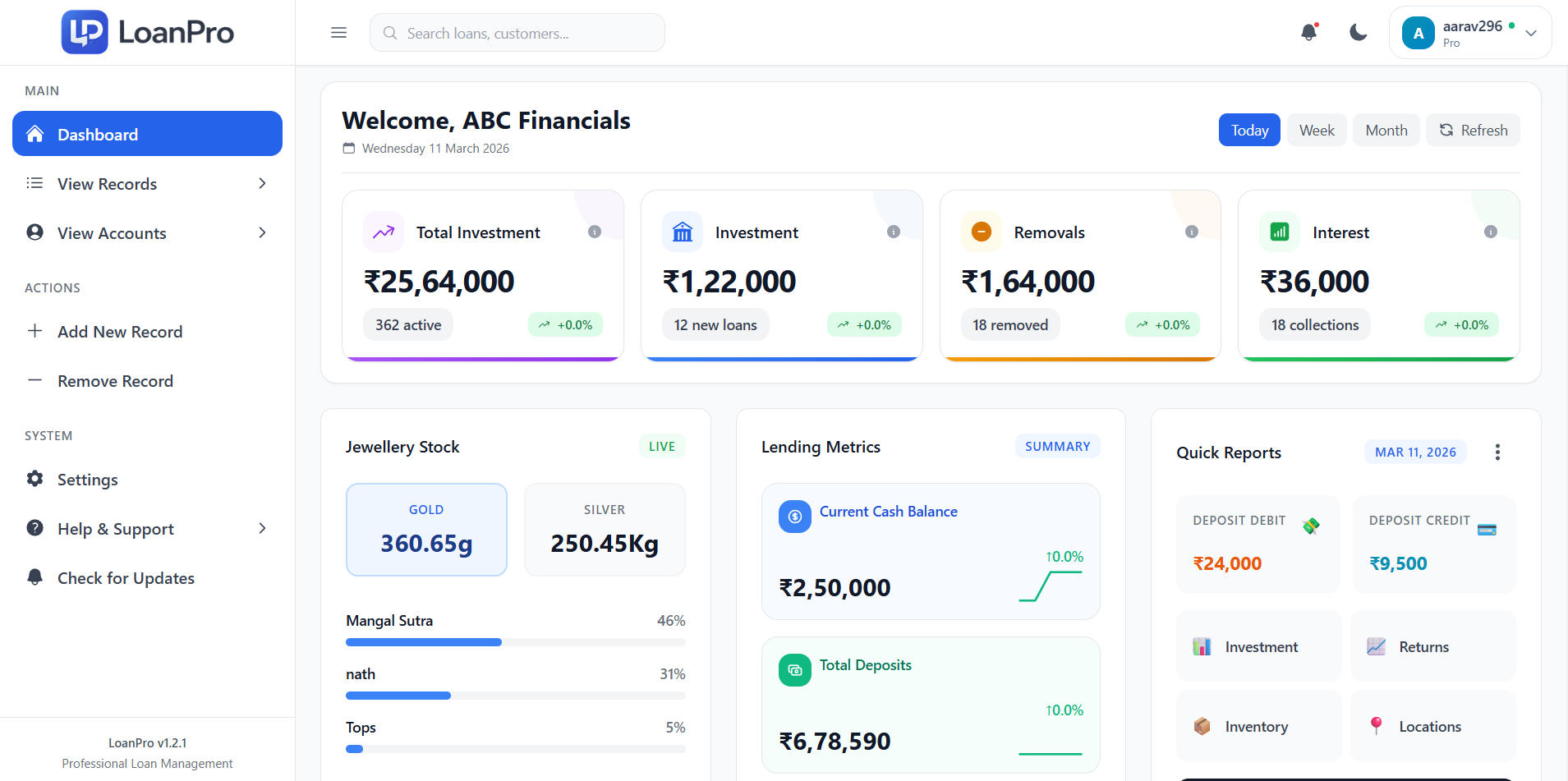
Daily Dashboard
Track your daily loans given out, money collected, and total cash in one simple screen.
Customer Photos
Easily take photos of customers and the gold/silver items using our companion Android app.
Safe Data Backup
Your shop records are kept completely safe with automatic backups to the cloud or Google Drive.
Cash Tracking
Quickly record every cash deposit, payment, and withdrawal. Avoid calculation mistakes at the end of the day.
Works Offline
The Windows app works perfectly fast even if your shop internet goes down. No delays while serving customers.
Simple Reports
View simple, easy-to-read reports to see who owes you money and what your profits are.
What you need
LoanPro runs perfectly on simple, everyday shop computers. No expensive hardware needed.
Windows Desktop or Laptop
Any basic computer running Windows 10 or Windows 11. Most computers bought after 2016 will work perfectly.
Android Phone
Any basic Android smartphone to take photos of customers and items. This is only needed for the Pro plan.
Occasional Internet
You only need an internet connection occasionally to verify your subscription or backup data.
Frequently asked questions
Simple answers to common questions about using the app.
Need more help?
Give us a call or send an email if you need help with anything.